Camera Guides
Insta360 Underwater Guide: 360 Cameras, Dive Cases and Reframing
How to shoot underwater with an Insta360 — the 360 X-series and Ace Pro, dive cases to 60 m, the reframe-later workflow, and getting color back.
- Brand
- Insta360
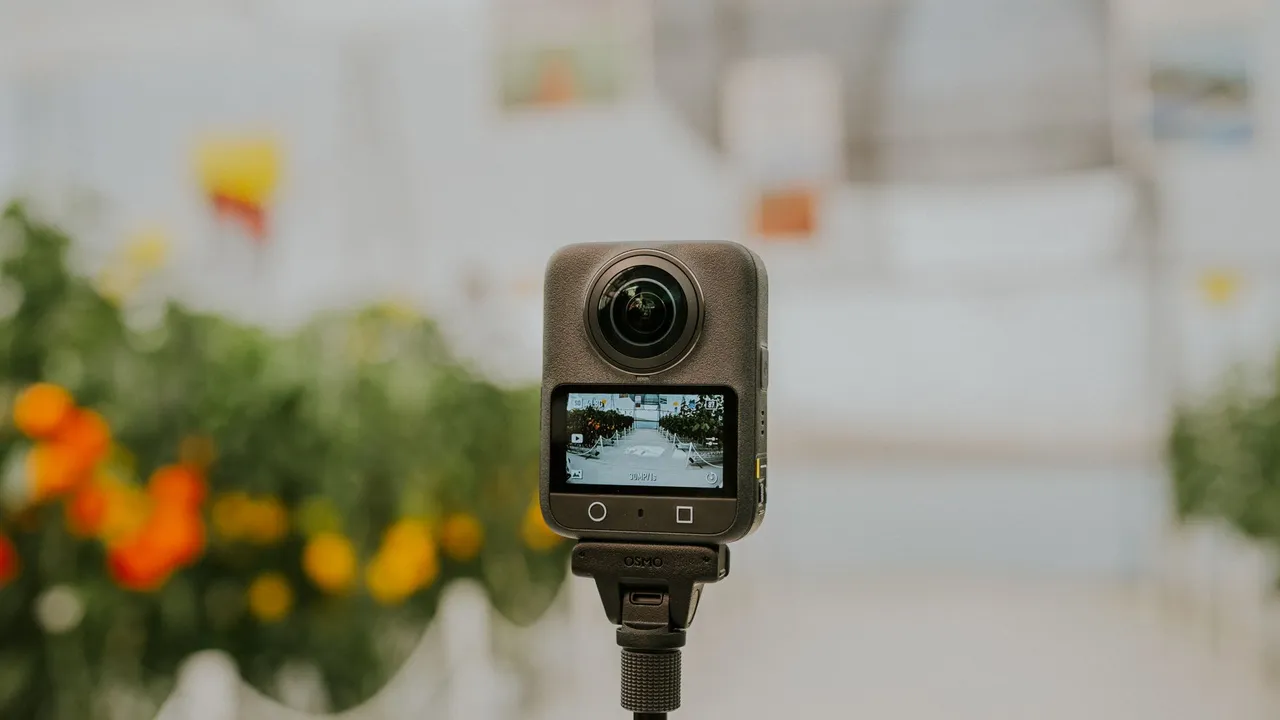
Insta360 approaches underwater video differently from a GoPro or a DJI. Its headline cameras are 360 cameras — two ultra-wide lenses that capture the entire sphere around you at once — and that changes how you shoot: instead of aiming, you record everything and pick the shot afterward. Paired with the trick of an invisible selfie stick, it produces floating, third-person views that look like they came from a drone, which is why 360 has caught on with dive content creators.
This guide covers how to shoot an Insta360 underwater: the two product lines, the dive cases and how deep they go, the reframe-later workflow, and the color and lighting quirks that come with a 360 rig. For the underlying science of underwater color and how to fix it, see our guides on why underwater photos look blue and how to restore underwater photos.
What makes an Insta360 different underwater
The core idea is capture-everything, decide-later. A 360 camera does not have a front to point; it films in every direction simultaneously, and you frame the shot in the app after the dive. Underwater, where subjects move and you are managing buoyancy and air, that is genuinely useful — you keep the camera rolling and reframe to whatever turned out to be interesting, rather than missing it because you were pointed the wrong way.
The second piece is the invisible selfie stick. Because the two lenses see past the thin stick between them, it disappears in the stitched footage, giving a third-person view of you gliding over the reef. No single-lens action camera can do that. The trade-off is that 360 is a video-and-reframing tool, not a stills camera — for photography, a dedicated underwater compact is the better route.
The two Insta360 lines: X-series and Ace Pro
It helps to know which kind of Insta360 you have. The X-series — the current flagship is the X5 — are the dual-lens 360 cameras, shooting up to 8K 360 video, with large 1/1.28-inch sensors, replaceable lenses, and long battery life. They are what most divers mean by an Insta360. The Ace Pro line (Ace Pro and Ace Pro 2) is different: a flat, single-lens action camera with a larger sensor and a Leica-branded lens, aimed at people who want conventional wide footage with strong low-light performance rather than 360. There is also the tiny GO 3S, a thumb-sized 4K camera with its own dive case. This guide focuses on the 360 X-series, since that is the distinctive underwater tool, with a dedicated section on the flat Ace Pro 2 further down.
Waterproofing and dive cases
The X-series cameras are not built for real diving on their own — they need a dive case, and Insta360’s cases use a dome design so the 360 image still stitches cleanly underwater. The Insta360 X5 Invisible Dive Case is rated to 60 metres (197 feet); the camera recognizes it automatically and switches into a Dive Case Mode. The newer Invisible Dive Case Pro is rated to 50 metres but adds advanced optics that cut the distortion from light refraction, giving sharper detail and truer color in clear water and on close-ups. Both include anti-fog inserts and a quick-dry bag, and mount on a standard two-prong fitting. The Ace Pro 2, by contrast, is waterproof to 12 metres on its own and to 60 metres in Insta360’s official dive case, with third-party housings from specialists such as Carbonarm for greater depth and lens options.
Whichever case you use, the seal and the lenses are what matter: check the seal is clean before every dive, keep the dome free of scratches, and rinse everything in fresh water afterward.
The 360 workflow underwater
Getting good results from a 360 rig is as much about the app as the dive. In the water, keep it simple: mount the camera on the invisible selfie stick, hold it out ahead of or above you, and keep it rolling — you are capturing the whole scene, so precise aiming does not matter. On land, the work happens in the Insta360 app: you scrub through the footage, set the framing for each moment, and export flat clips to share. AI reframing and tracking tools follow a subject automatically, and the InstaFrame feature can record a flat, ready-to-share clip and the full 360 sphere at the same time, so you have something immediately and the option to reframe later.
Color and light on a 360 rig
Here is where 360 is genuinely harder than a single-lens camera, and it is worth being honest about. Water strips warm color the same way regardless of camera, so 360 footage goes blue with depth just like any other. But correcting it in the water is awkward: a filter has to cover both lenses, and a video light will inevitably light up the dome and the selfie stick as well as the scene, because the camera sees everything. In practice, most 360 divers lean on shooting shallow in good light and correcting color afterward, rather than fighting filters and lights. If you want the filter-and-light workflow that single-lens cameras use, the Single-Lens Mode or an Ace Pro is the easier tool — and our GoPro underwater guide and DJI Osmo Action guide cover that approach.
Shooting the Ace Pro 2 underwater
If your Insta360 is the flat Ace Pro 2 rather than a 360 camera, it behaves underwater like a normal single-lens action camera — closer to a GoPro or DJI than to the X-series — but with a few setup steps specific to it that are easy to get wrong.
Before you get in
Two checks before every dive. First, make sure the USB and charging-port covers are fully closed and seated, with no gap along the seam. Second — the one people miss — swap the microphone cover. The Ace Pro 2 ships with a foam windscreen for cutting wind noise on land, and that open foam soaks up water and will muffle or damage your audio if you dive with it. The box includes a separate waterproof microphone cover for exactly this: push the foam windscreen off, then press the waterproof cover into the slot until its red alignment mark disappears completely, which tells you it is seated.
Turn on Underwater mode
Swipe down from the top of the screen to open the quick menu and tap the diving icon to switch into Underwater mode. It retunes the camera for water — extra stabilization and distortion correction for a straighter, steadier image — and locks the touchscreen so a stray finger or a curious fish cannot interrupt your recording. Two things worth knowing: you cannot enable Underwater mode while the camera is connected to the phone app, so disconnect first; and because the screen locks, use the Ace Pro 2’s flip-up screen to frame your shot and set the angle before you drop in.
Settings by depth
Underwater mode gets you most of the way; from there, match the settings to your depth, and preset both so you are not fiddling in the water:
- Shallow, 0–5 m (bright light): 4K at 60fps, white balance around 5500K, exposure compensation +0.3 to +0.7.
- Deep, 5–12 m (dim light): 4K at 30fps, white balance 6000K or higher to counter the blue, exposure compensation 0 to +0.3. The slower frame rate brightens the image as the light drops.
- For stills: shoot the full 37MP, white balance on Auto, exposure +0.3 to +0.7, with the CC filter selected for a quick color lift.
Past the Ace Pro 2’s 12-metre bare rating you will need the dive case, as above — and after any dive in the sea, soak the whole camera in fresh water for five to ten minutes to rinse the salt out of its ports and seams before it dries, which is what keeps the metal contacts from corroding.
Essential accessories
- The dive case — the one non-negotiable, and the dome design is what keeps the 360 image sharp underwater.
- The invisible selfie stick — the accessory that makes the third-person look possible; a longer stick gives a more drone-like view.
- A floating grip and wrist lanyard — 360 rigs are easy to fumble, and a float keeps yours at the surface if it slips.
- Color filters — optional, and most useful in the shallows; remember they must suit the water and cover both lenses.
- Anti-fog inserts — cheap insurance against a fogged dome on a temperature change.
- Video lights — mainly worth it for Single-Lens or Ace Pro shooting, where you can light a scene without lighting the whole rig.
Common problems and fixes
- Soft footage or a visible stitch line. Usually poor visibility or a dirty dome. Use the dome dive case, shoot in clear water and close, and keep the lenses clean; the Dive Case Pro’s optics help on close-ups.
- Flat, blue color. The water removed the warm tones. Shoot shallower on natural light and correct color afterward — the method is in how to restore underwater photos.
- Fogging inside the case. Use anti-fog inserts and seal the case in cool, dry air.
- Short battery life in cold water. Carry spares and keep them warm before a dive.
- Scratched lenses. The X-series has replaceable lenses — fit lens caps between dives and swap a scratched lens rather than living with soft footage.
- A dropped rig. A wrist lanyard and floating grip are cheap protection against losing it to the seabed.
Getting your color back
Because filtering and lighting are awkward on a 360 rig, correcting color in editing matters even more than usual. Our guide to the best underwater photo editor compares the options, and how to restore underwater photos walks through the methods. For a one-tap route on your phone once you have exported flat frames, our app JellyFix restores underwater photos on-device, and you can see the kind of color that comes back in the before-and-after gallery. For a diver’s hands-on take on the X5 underwater, DIVE Magazine’s X5 dive bundle review is worth a read.
For more camera setups, browse the camera guides, and for the wider picture of underwater imaging, explore OceanDimana.
Field notes
Frequently asked questions
Is an Insta360 good for diving?
How deep can an Insta360 go underwater?
What is the reframe-later workflow?
What is the invisible selfie stick?
Do I need filters for an Insta360 underwater?
Can I use an Insta360 as a normal action camera?
Do I need to change the microphone cover on the Ace Pro 2 before diving?
How do I turn on Underwater mode on the Insta360 Ace Pro 2?
Which Insta360 is best for diving?
How do I keep 360 footage sharp underwater?
Keep exploring
Continue exploring
GoPro Underwater Guide
The gear-and-setup guide for the classic single-lens dive action camera — housings, filters, and settings.
Read moreDJI Osmo Action Underwater Guide
The other leading action camera underwater, with a larger sensor and a built-in depth sensor.
Read moreWhy Underwater Photos Look Blue
The science behind the blue-green cast, and why water steals warm color with depth and distance.
Read moreHow to Restore Underwater Photos
Every way to bring natural color back, from in-camera technique to AI.
Read more